


How to Sublimate an Image to Aluminum?
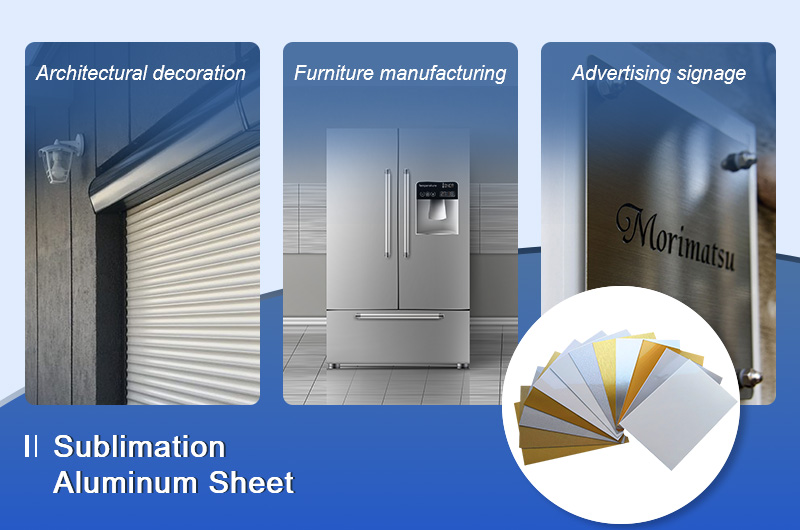
Sublimation aluminum sheet is a decorative material that transfers images onto aluminum surfaces via dye sublimation technology. It features intricate patterns, vibrant colors, durability, corrosion resistance, and easy maintenance, making it ideal for applications in:
- Architectural decoration (e.g., curtain walls, ceilings, doors/windows)
- Furniture manufacturing (e.g., cabinet doors, sublimation photo panels)
- Advertising signage (e.g., billboards, display boards)
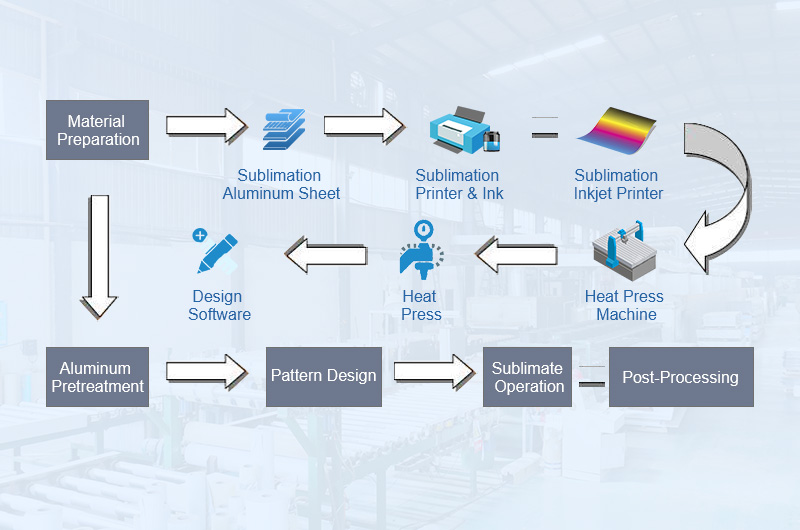
Sublimation Process Overview
- Material Preparation
- Aluminum Pretreatment
- Pattern Design
- Sublimate Operation
- Post-Processing
Detailed Steps for Aluminum Sublimation
1. Material Preparation
- Sublimation Aluminum Sheet: Select polyester-coated sheets with smooth surfaces, free from scratches and oxidation. Raw, uncoated aluminum cannot be sublimated.
- Sublimation Paper/Film: Use dye-sublimation paper for flat sheets, or PET film for irregular-shaped parts.
- Sublimation Inkjet Printer: Choose a printer that runs sublimation ink and supports high-resolution printing.
- Heat Press Machine: A flatbed heat press with accurate temperature control and even pressure.
- Tools: Heat-resistant tape, heat-resistant gloves, cutter; for irregular shapes, an ultrasonic sealer, vacuum system and oven.
2. Aluminum Pretreatment
- Cleaning: Wipe the coated surface with isopropyl alcohol and a lint-free cloth to remove oil, dust, and fingerprints.
- Drying: Let the surface dry completely before pressing.
- Protective Film: Peel off the protective film from the coated side just before pressing.
3. Pattern Design
- Design: Use software like Adobe Photoshop or CorelDRAW and keep the resolution at 300 DPI or higher.
- Sizing: Match the artwork to the sheet size, adding a small bleed (about 1–2 mm per side) for full-edge prints.
- Printing: Mirror (flip) the image, then print onto sublimation paper with a dye-sublimation printer.
4. Sublimate Operation
Flat Sublimation Aluminum Sheet
- Cut Sublimation Paper: Slightly larger than the sheet dimensions.
- Position Paper: Place the printed side face-down on the coated side of the aluminum and secure it with heat-resistant tape.
- Sublimate: Use a flatbed heat press at 385–400°F (196–204°C) for 45–90 seconds (30–60 seconds for small blanks such as keychains) with medium pressure (35–40 psi).
- Remove Paper: Wearing heat-resistant gloves, peel off the paper promptly in one smooth motion to avoid ghosting.
Irregular-Shaped Sublimation (Industrial)
- Cut PET Film: Size it to match the aluminum part.
- Wrap Aluminum: Seal the part into a tubular film bag using an ultrasonic sealer.
- Vacuum Sealing: Evacuate the bag (typically −0.08 to −0.1 MPa) so the film adheres tightly to every surface.
- Curing: Bake in an oven, typically at 160–180°C (320–356°F) for 5–8 minutes; follow the film and coating supplier's data.
- Remove Film: Peel off manually or with air jets.
5. Post-Processing
- Cooling: Let the sheet cool on a flat surface to prevent warping.
- Quality Check: Inspect clarity, color, and completeness of the image.
Parameter Guidelines
Temperature Settings
- Sublimation aluminum sheets: 385–400°F (196–204°C).
- Some thin sheets and coatings work at 350°F (177°C); for thicker sheets, keep the temperature and extend the time instead.
- Verify the actual platen temperature with a surface thermometer — the press display is often off by 10–20°F.
Time Settings
- Photo panels and sheets: 45–90 seconds.
- Small blanks (keychains, tags): 30–60 seconds.
- Thicker sheets (1.0 mm and above): toward the upper end of the range.
Pressure Settings
- Medium pressure: 35–40 psi for most aluminum sheets and blanks.
- Light pressure: 20–30 psi when needed for your press or material.
- Pressure must be even across the platen to avoid blurring or uneven color.
Parameters for Common Materials
| Material | Temperature | Time (s) | Pressure |
|---|---|---|---|
| Sublimation Aluminum (Photo Panel) | 385–400°F (196–204°C) | 45–90 | Flat press, medium pressure (35–40 psi) |
| Sublimation Aluminum Blanks (Keychain) | 385–400°F (196–204°C) | 30–60 | Flat press, medium pressure (35–40 psi) |
| Stainless Steel | 380°F (193°C) | 60–80 | Flat press, medium pressure (35–40 psi) |
| Galvanized Metal | 350–400°F (177–204°C) | 60–90 | Flat press, medium pressure (35–40 psi) |
| Metal (General) | 375–400°F (190–204°C) | 60–90 | Flat press, medium pressure (35–40 psi) |
| Polyester-Coated Items | 400°F (204°C) | 40–60 | Flat press, medium pressure (40 psi) |
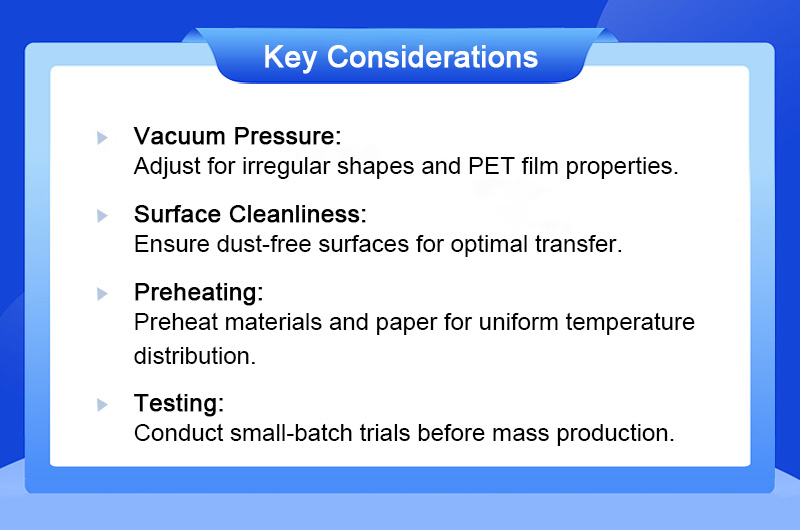
Key Considerations
- Coated Side: Always print on the coated (white or finished) side; check which side carries the protective film.
- Surface Cleanliness: Ensure dust-free surfaces for optimal transfer.
- Preheating: Pre-press the paper for a few seconds to remove moisture, which helps prevent blotchy spots.
- Vacuum Pressure: For irregular shapes, make sure the PET film is fully evacuated with no air pockets.
- Outdoor Use: Sublimated images can fade in direct sunlight; choose sheets with a UV-protective coating for outdoor signs.
- Testing: Run a test print on a small piece before mass production.
Technical Comparisons
| Parameter | Flat Press Sublimation | Vacuum Sublimation (Irregular Shapes) |
|---|---|---|
| Suitable For | Flat sheets, photo panels, blanks | Profiles, curved or irregular-shaped parts |
| Transfer Medium | Sublimation paper | PET film |
| Equipment | Flatbed heat press | Ultrasonic sealer, vacuum system, oven |
| Typical Settings | 385–400°F (196–204°C), 45–90 s | 160–180°C (320–356°F), 5–8 min |
| Best For | Small to large batches, photo-quality prints | Industrial production of shaped parts |
Troubleshooting
- Blurred Patterns or Ghosting: The paper shifted during pressing or peeling. Tape all edges securely and peel the paper promptly in one smooth motion.
- Faded or Dull Colors: Temperature or time is too low, or the image was printed on the wrong side. Check the platen temperature with a thermometer, add 10–15 seconds, and confirm the coated side faces the paper.
- Uneven Color or Blotchy Spots: Uneven pressure or moisture in the paper. Check platen flatness and pre-press the paper.
- Yellowing or Coating Bubbles: Temperature too high or time too long. Reduce the time first, then the temperature.
- Edge Warping: Thin sheets bend when hot. Cool the sheet on a flat surface, ideally under a light, flat weight.
- Coating Peeling: Usually caused by moisture during storage. Keep sheets sealed in a dry place with desiccants.
Advanced Applications
- Double-Sided Printing: Sheets coated on both sides can be sublimated front and back for hanging signs and tags.
- Shaped Blanks with Holes: Round, oval, rounded-corner, and custom-shaped blanks with pre-punched holes for keychains, ornaments, and nameplates.
- Laser Engraving: Combine sublimated images with laser-engraved text or serial numbers; test the coating's response first.
Equipment Recommendations
- Heat Press Machine: Flatbed press with an aluminum platen, accurate temperature control, and adjustable, even pressure; a vacuum system for irregular shapes.
- Cutting: Shear or CNC for sheets — or order pre-cut sublimation aluminum blanks in the exact size you need.
- QC Tools: Colorimeter (X-Rite eXact), coating thickness gauge (Elcometer 456), surface thermometer.